

Summer may be winding down, but that doesn’t necessarily mean the warm weather is over. A few simple end-of-summer mini split tips can help you stay comfortable through hot afternoons, humid days and changing temperatures while preparing your system for the cooler weather ahead.
It’s also a great time to make a few simple adjustments to how you use your system.
From choosing the right operating mode to checking your filters and taking advantage of smart controls, these seven tips can help you stay comfortable through the final stretch of summer while getting your mini split ready for the changing temperatures ahead.
What You'll Learn
How to adjust your mini split for late-summer weather
When to use Cool, Dry, Fan, and Auto modes
Why clean filters matter for airflow
How to make better use of schedules and smart controls
Simple ways to maintain clear indoor and outdoor airflow
What to check before temperatures begin to change
1. Adjust Your Settings as Temperatures Change
The settings that worked during the hottest part of July may not be what you need every day in late August or September.
Instead of constantly lowering the set temperature, choose a comfortable setting and allow your inverter mini split to adjust its output as conditions change.
During milder periods, you may also find that you don’t need the same level of cooling you used during peak summer.
QUICK TIP
Avoid treating the thermostat like an accelerator. Setting your mini split dramatically colder won't necessarily cool the room faster. Choose a comfortable target temperature and give the system time to reach it.
2. Choose the Right Mode for the Weather
One of the easiest ways to get more from your mini split is simply understanding what its different modes are designed to do.
Late summer is particularly well suited to this because conditions can change from hot and sunny one day to mild and humid the next.
| Mode | What It Does | When It's Useful |
|---|---|---|
| Cool | Actively cools the room | Hot days and warm afternoons |
| Dry | Helps reduce excess humidity | Mild but muggy days |
| Fan | Circulates indoor air | When the temperature is already comfortable |
| Auto | Automatically manages operation based on conditions and setpoint | Changing temperatures |
LATE-SUMMER TIP
Hot? Start with Cool Mode.
Muggy but not particularly hot? Consider Dry Mode.
Already comfortable? Fan Mode may be all you need.
3. Check and Clean Your Mini Split Filters
After working through weeks of summer cooling, your indoor unit's air filters may be ready for some attention.
As air passes through the system, filters collect airborne particles. Over time, buildup can restrict airflow.
A quick filter check is one of the simplest maintenance tasks homeowners can perform.
We recommend cleaning reusable filters every 30–60 days for most homes or every 2–4 weeks if you have pets, allergies, or live in a dusty environment. Here's a simple filter cleaning guide to keep handy.
SIMPLE FILTER CHECK
1. Turn the system off.
2. Open the indoor unit according to your owner's manual.
3. Remove and inspect the filters.
4. Clean them according to your unit's instructions.
5. Allow them to dry completely before reinstalling.
IMPORTANT
Always follow the cleaning instructions for your specific model. Don't operate the unit without the filters properly installed.
4. Keep Your Mini Split’s Indoor and Outdoor Airflow Clear
Your mini split needs room to move air.
Inside, check that furniture, curtains, shelving, or other objects aren't unnecessarily interfering with airflow from the indoor unit.
Outside, take a look around the condenser and remove leaves, grass, vegetation, or other loose debris that may have accumulated nearby.
Don't use generic clearance measurements, though. Required installation clearances can vary by system, so refer to the installation manual for your specific model.
QUICK TIP
Think clear, not crowded. Keeping the area around your equipment free of unnecessary obstructions helps give your system the airflow it was designed for.
5. Make Your Schedule Work for You
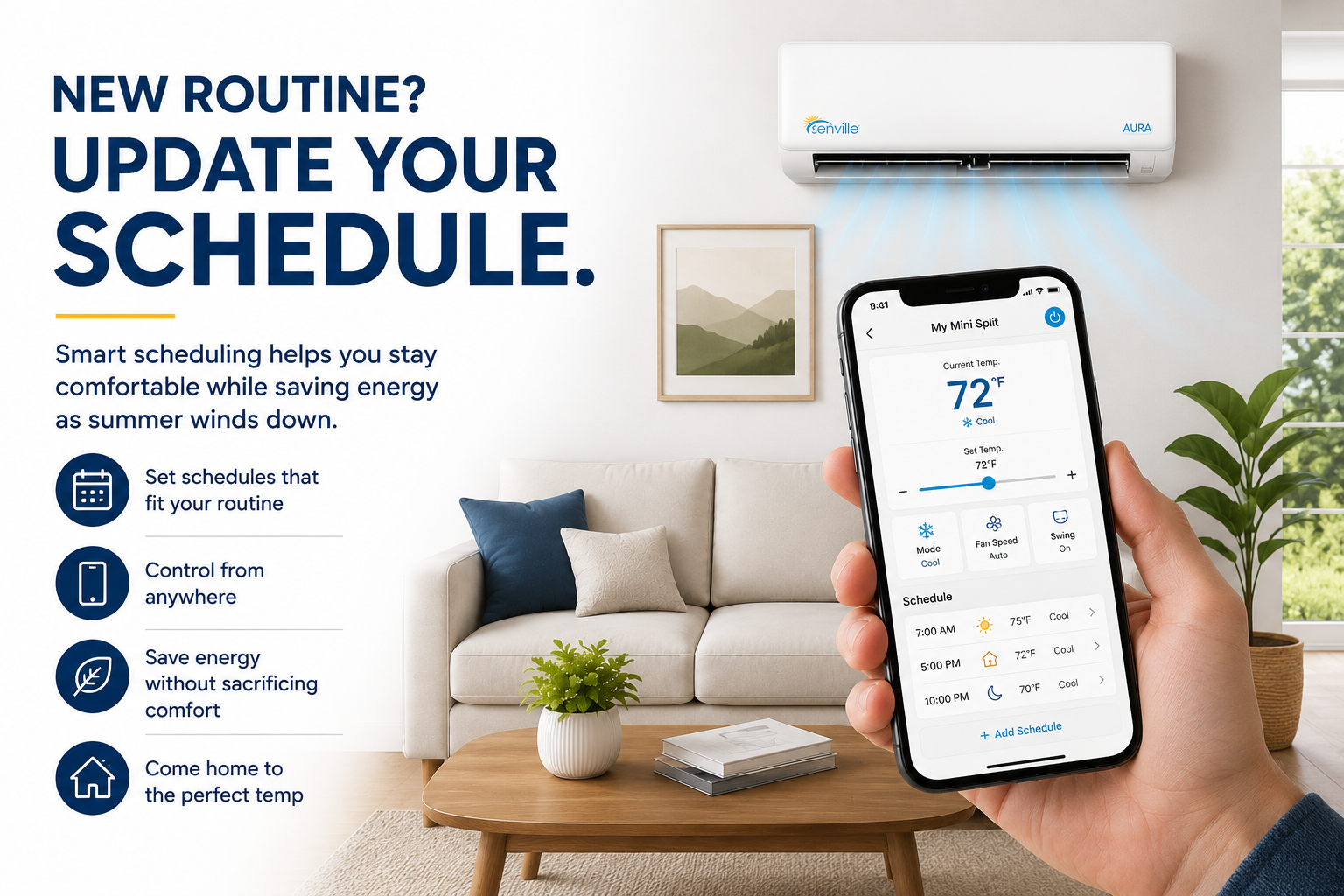
Late summer often means routines start changing again.
Vacations wind down. Kids head back to school. Work schedules change. You may simply spend less time at home during the day.
Instead of continuing to use the same routine you used throughout summer, take a look at how you're actually using your home now.
Compatible Senville systems offer Wi-Fi control that makes it easier to manage your system remotely and adjust settings around your schedule.
For example, you may be able to:
- Check your system from your phone
- Adjust the set temperature remotely
- Change operating modes
- Create schedules
- Manage compatible units from the app
Want to add smart control to a compatible system? The Senville Smart WiFi USB Kit (Works with Alexa) lets you control compatible Senville systems through the Alexa app or voice commands, including temperature adjustments, mode changes, and routines.
Already have a compatible Alexa WiFi Kit? Follow our step-by-step guide to connecting your Senville mini split to Amazon Alexa to get started.
6. Pay Attention to Humidity, Not Just Temperature
Late-summer comfort isn't always about the number on the thermostat.
A room can be at a reasonable temperature and still feel uncomfortable when humidity is high.
That's why it helps to consider both temperature and moisture when deciding how to operate your system.
| If the Room Feels... | Consider |
|---|---|
| Hot | Cool Mode |
| Hot + humid | Cool Mode |
| Comfortable temperature but muggy | Dry Mode |
| Comfortable overall | Fan Mode, if circulation is desired |
DID YOU KNOW?
Temperature isn't the only thing that affects how comfortable a room feels. Humidity can make warm conditions feel more uncomfortable, which is why understanding Dry Mode can be especially useful during late summer.
7. Test Heat Mode Before You Actually Need It
You don't need to start heating your home just because summer is winding down.
But before the first genuinely cold day arrives, it's a good idea to make sure you know how to switch your system into Heat Mode and that it operates as expected.
This is particularly useful if you haven't used the heating function in several months.
WHEN YOU'RE READY TO TEST HEAT MODE
1. Select Heat Mode on your remote or controller.
2. Set the temperature above the current room temperature.
3. Allow the system time to respond.
4. Confirm that warm air begins coming from the indoor unit.
5. Pay attention to anything unusual.
Don't be alarmed if warm air isn't immediate. Heat pumps can delay the indoor fan briefly while the indoor coil warms. If something doesn't seem right when you test your system, the Senville Tech+ Center includes troubleshooting resources, instructional videos, manuals, and technical support options for your convenience.
DON'T RUSH THE SEASON
You don't need to start heating while it's still warm outside. The idea is simply to familiarize yourself with Heat Mode before the first cold morning when you actually need it.
Your End-of-Summer Mini Split Checklist
Review your temperature settings
Use the operating mode that matches current conditions
Check and clean your filters if needed
Make sure indoor airflow isn't obstructed
Check around the outdoor unit for debris
Update schedules or smart controls for your changing routine
Familiarize yourself with Heat Mode before cooler weather arrives
Review your owner's manual for model-specific maintenance and operating instructions
SAVE THIS CHECKLIST
A few simple checks now can help you continue getting comfortable, reliable operation from your mini split as the weather begins to change.
Frequently Asked Questions
Should I turn my mini split off when summer ends?
Not necessarily. A heat pump mini split can provide both cooling and heating, so the same system can continue to provide comfort as outdoor temperatures change. How you operate it should depend on your home's needs and the capabilities of your particular system.
What's the best mini split setting for late summer?
There isn't one setting that's best for every day. Cool Mode is appropriate when you need active cooling, while Dry Mode can be useful during mild but humid conditions. Fan or Auto may also be useful depending on your system and the weather.
How often should I clean my mini split filters?
Cleaning frequency depends on usage and conditions in your home. We recommend cleaning reusable filters every 30–60 days for most homes or every 2–4 weeks if you have pets, allergies, or live in a dusty environment
Is Dry Mode the same as Cool Mode?
No. Cool Mode primarily works to lower room temperature, while Dry Mode focuses more on removing excess moisture from the air.
When should I test Heat Mode?
You don't need to test it while temperatures are still very warm. Doing so sometime before you expect to rely on heating can give you time to familiarize yourself with the setting and identify anything unusual.
Can I control my Senville mini split from my phone?
Compatible Senville systems can offer smart control using the appropriate WiFi accessory. Compatibility depends on the system and accessory, so check the requirements for your particular model.
Ready to Find the Right Mini Split?
Thinking about upgrading before the next season? Explore Senville mini split systems to compare capacities, efficiency ratings and heating capabilities for your home.