
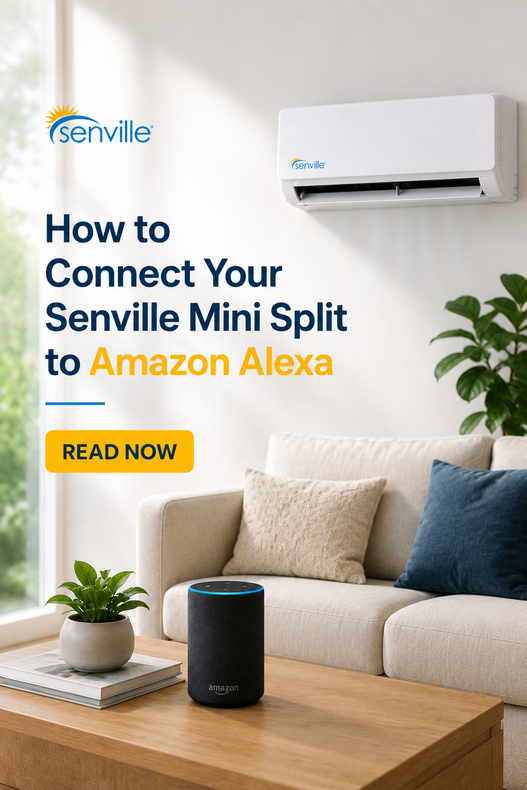
Smart home technology has transformed the way we manage comfort at home, making it easier than ever to control your heating and cooling from virtually anywhere.
By connecting your compatible Senville mini split using the Alexa WiFi USB Kit, you can adjust temperatures, switch operating modes, and control your system using simple voice commands or the Alexa app. Whether you're arriving home after work, creating automated routines, or simply relaxing on the couch, Alexa integration adds convenience to your everyday comfort.
In this guide, we'll walk you through the basics of connecting your Senville mini split to Alexa, highlight the benefits of smart control, and share a few tips to help make setup as smooth as possible.
Prefer to follow along visually? Watch our step-by-step video demonstrating how to connect your Senville Alexa WiFi Kit and begin controlling your mini split using Amazon Alexa.
Why Connect Your Mini Split to Alexa?
Connecting your mini split to Alexa makes everyday comfort even more convenient. Instead of reaching for the remote every time you want to make an adjustment, you can control your system using your voice or the Alexa app.
Whether you're managing one room or multiple compatible units throughout your home, smart controls can help simplify your daily routine.
| Feature | Benefit |
|---|---|
| Voice Control | Adjust your mini split hands-free |
| Smartphone Control | Manage your system from virtually anywhere |
| Alexa Routines | Automate heating and cooling schedules |
| Multi-Room Control | Manage multiple compatible units |
| Smart Home Integration | Works with Alexa-enabled devices |
Did You Know?
Once your mini split is connected, you can include it in Alexa routines alongside compatible smart lights, plugs, and other Alexa-enabled devices, making it easy to automate your home's comfort with a single command.
What You'll Need Before You Begin
Before starting the setup process, make sure you have everything you'll need.
Setup Checklist
Compatible Senville mini split
Amazon Alexa app installed
2.4 GHz Wi-Fi network
QR code included with your WiFi Kit
Having everything ready before you begin will help make the setup process faster and easier. Don't have a WiFi Kit yet? The Senville Alexa WiFi USB Kit makes it easy to add Alexa connectivity to compatible Senville mini split systems.
Step-by-Step: Connecting Alexa
Setting up Alexa only takes a few minutes.
Step 1: Install the WiFi USB Kit
Insert the Alexa-enabled USB module into the designated port on your compatible indoor unit.
Step 2: Download the Amazon Alexa App
If you haven't already, download the Alexa app and sign in with your Amazon account.
Step 3: Save Your QR Code
The QR code included with your WiFi kit is required during setup.
Before installing the module, consider taking a photo of the QR code or storing it in a safe place for future reference.
Pro Tip
Take a photo of the QR code before installing your WiFi Kit. If you ever reconnect your mini split or replace your router, you'll already have it available.
Step 4: Put Your Mini Split Into AP Mode
Follow the instructions included with your WiFi kit to place your indoor unit into pairing mode.
Once the unit is broadcasting its Wi-Fi signal, you'll be able to add it through the Alexa app.
Step 5: Complete Setup in the Alexa App
Follow the prompts within the Alexa app to discover your mini split and finish the connection process.
What Can You Do With Alexa?
Once connected, Alexa makes controlling your home's comfort easier than ever. See below for some handy everyday commands.
| Alexa Command | What It Does |
|---|---|
| "Alexa, turn on the air conditioner." | Turns the system on |
| "Alexa, set the temperature to 72 degrees." | Adjusts the temperature |
| "Alexa, change the mode to heat." | Switches operating mode |
| "Alexa, turn off the bedroom mini split." | Turns off a selected unit |
Voice commands may vary depending on your Alexa setup and compatible devices.
Smart Home Tip
Create an Alexa routine that automatically adjusts your mini split before you wake up, leave for work, or arrive home for effortless everyday comfort.
Common Setup Tips
If you run into an issue during setup, these quick checks can often help.
| Situation | Recommendation |
|---|---|
| Device won't connect | Confirm the unit is in AP Mode |
| Can't find the QR code | Use your saved photo or original label |
| Connection failed | Restart pairing mode and try again |
| Indoor unit beeping | Verify the USB module is fully installed |
If you're still having trouble, our Support Center provides additional troubleshooting resources.
Is Alexa Right for You?
You want hands-free voice control.
You'd like to adjust your mini split remotely.
You already use Alexa-enabled smart home devices.
You want to automate heating and cooling schedules.
You have multiple compatible indoor units.
Frequently Asked Questions
Still have questions? Here are answers to some of the most common questions about connecting your Senville mini split to Amazon Alexa.
Is My Senville Mini Split Compatible with Alexa?
The Senville Alexa WiFi USB Kit is compatible with Senville indoor units manufactured after 2019. To make sure your system is supported, view the full compatibility list on the Alexa WiFi USB Kit product page before purchasing.
Do I need a WiFi Kit to connect my mini split?
Yes. Compatible Senville systems require the Senville Alexa WiFi USB Kit to enable Alexa voice control, remote access, and smart home integration.
What should I do if Alexa can't find my device?
First, confirm your indoor unit is in AP Mode, verify you're connected to a 2.4 GHz Wi-Fi network, and make sure the WiFi USB Kit is installed correctly. If you're still having trouble, visit the Senville Support Center for detailed troubleshooting.
Can I control multiple mini splits with Alexa?
Yes. If you have multiple compatible Senville indoor units, each unit must be equipped with its own Alexa WiFi USB Kit to enable Alexa connectivity. Once connected, you can control each unit individually through the Alexa app or organize them into Alexa routines for convenient whole-home comfort.
Can I control my mini split when I'm away from home?
Yes. Once your compatible mini split is connected to Wi-Fi and linked with Amazon Alexa, you can manage your system remotely using the Alexa app from virtually anywhere with an internet connection.
Get Started With Smarter Home Comfort
Adding Alexa to your compatible Senville mini split is an easy way to make everyday comfort even more convenient. From adjusting temperatures with your voice to creating customized routines that fit your schedule, Alexa helps simplify how you manage your home's heating and cooling.
Whether you're purchasing a new system or upgrading an existing compatible unit, Senville makes it easy to get connected.
Ready to get started?
- Shop the Senville Alexa WiFi USB Kit
- Explore Alexa-compatible Senville Mini Split Systems